
Users are becoming less willing to forgive poor UX. Over half, 66%, expect an exceptional digital experience by default, and 55% see performance issues as a lack of respect for their time.
Poor UX can mean lower conversion, weak engagement, sluggish retention, and reputational damage. It also comes in all shapes and sizes: cognitive overload, hard-to-find elements, pages that load too slowly, and more. Catching all of those issues, and figuring out how to resolve them, takes a systematic approach. A UX audit gives you one.
Here is what a UX audit is, when to run one, how to do it step by step, the checklist and deliverables to expect, and the best practices that make it worthwhile, based on our experience as a user experience audit service provider.
TL;DR
A UX audit is a structured, comprehensive assessment of a product's usability and accessibility, based on quantitative and qualitative data.
Run one before a redesign or major feature release, when key metrics decline, when you receive many usability complaints, or when you are rebranding.
The process runs through preparation, screen-by-screen assessment, data analysis, root cause analysis, synthesis, reporting, and post-audit follow-up.
The main deliverable is a prioritized report of findings with actionable recommendations and success metrics.
What Is a UX Audit?
A UX audit, also called a user experience audit or UX design audit, is a systematic, in-depth assessment of your product's user experience, usability, and accessibility. It analyzes existing quantitative data such as conversion and bounce rates, identifies trends, and uses qualitative data to explain them.
To evaluate a product's UX, you need three types of tools:
Basic analytics, such as Google Analytics data on traffic, bounce, and conversions.
Behavior analytics, such as heatmaps, session replays, and user feedback or surveys.
Product analytics, covering multi-session user journeys across channels.
Why and When You Should Conduct a UX Audit
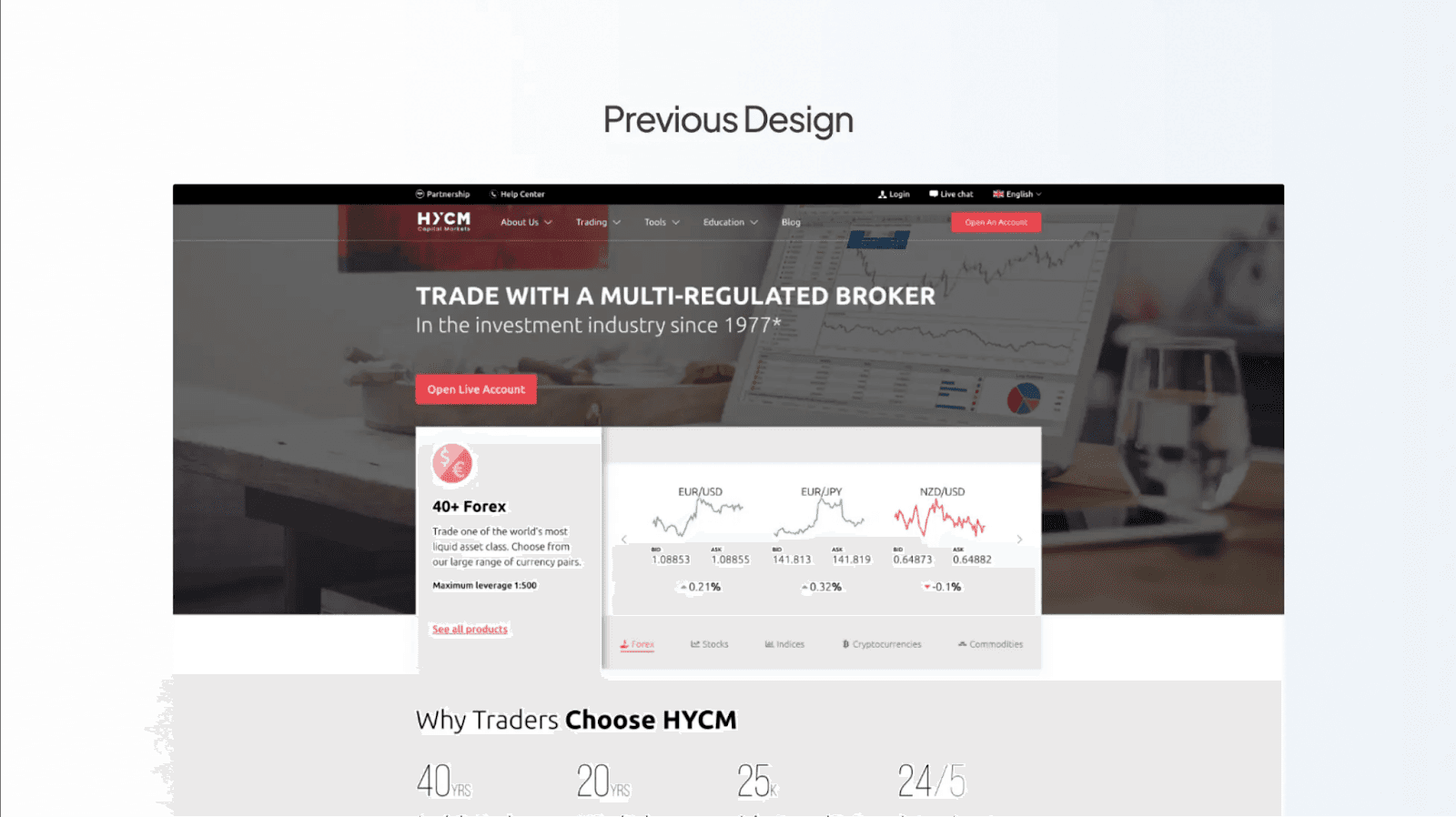
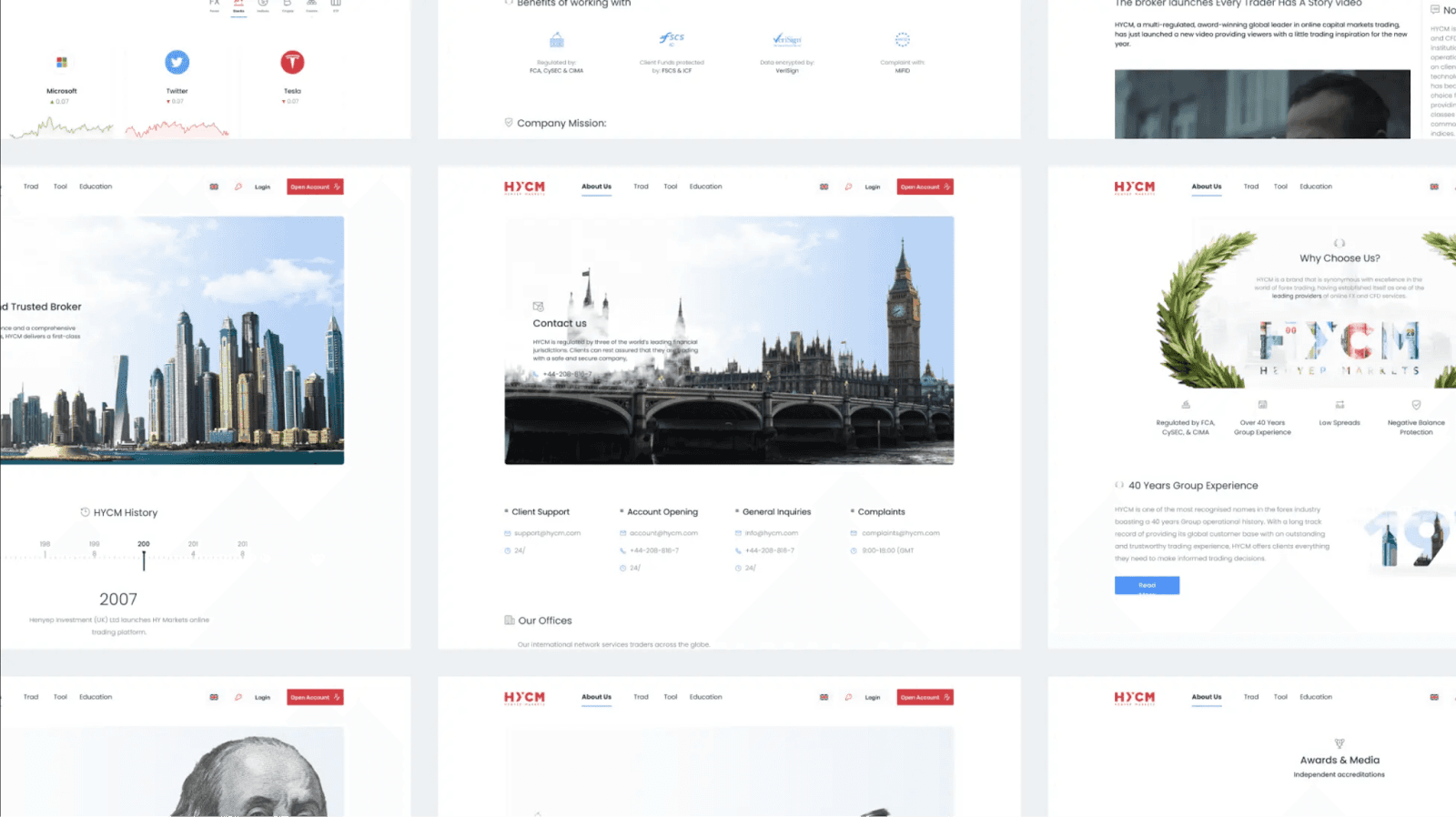
In our experience, a UX audit is always a must before redesigning your website or app. For example, before redesigning the corporate website for HYCM, an online trading platform, we ran a UX audit to pinpoint key sources of friction in navigation, usability gaps to fix during the redesign, and areas to improve in structure and layout.
Even if a redesign is not on the table yet, a UX audit helps when:
Key metrics like conversion, engagement, or CLV miss targets or are declining.
Planned feature updates may affect the UX.
A lot of negative user feedback mentions usability issues.
You are considering rebranding.
You struggle to differentiate your product from competitors, which calls for a competitive UX audit.
Done well, a UX audit helps you recover lost conversions, cut support tickets tied to confusion, prioritize the redesign, and build a shared, evidence-based view of what to fix first.
Identify Your Product's Weak Spots.
A professional UX audit uncovers the issues quietly hurting conversion and retention, and hands you a clear roadmap to fix them. Order one from Fivecube.
How Often Should You Run a UX Audit?
Most teams benefit from a comprehensive UX audit every 6 to 12 months, plus a fresh audit whenever they launch a major feature, redesign, or rebrand. Lighter spot-check audits of a single flow can run quarterly as part of ongoing quality assurance.
UX Audit Process: Step by Step
Not sure what to expect from the process? Here is the checklist we use to move through its key phases when we conduct a website or app UX audit.
Phase | Steps to take
|
|---|---|
Preparation | Define product metrics and benchmarks. Set clear business goals for the audit. Gather documentation on user personas, product data, and past audit reports. Define deliverables, constraints, deadlines, and stakeholders. |
Screen-by-screen assessment | Map or review user and customer journeys. Explore the product's flows first-hand. Evaluate interaction and interface against the 10 usability heuristics. Assess accessibility against the WCAG guidelines. |
Data analysis | Review behavior and product data across pages and segments. Identify trends: where users drop off, how session duration varies by segment, and where high-value users come from. Spot patterns in feedback and attitudinal metrics. |
Root cause analysis | Identify likely reasons behind the trends. Run usability testing and user interviews to validate them. Review session replays at key points in the journey. |
Synthesis | Form UX hypotheses for key trends and issues. Use cause-and-effect language (if, then, because). Back hypotheses with quantitative and qualitative data. Sort them by importance and effort. |
Reporting | Prepare a report for stakeholders. Give clear, actionable recommendations for each finding. Define metrics to track post-audit changes. Visualize findings and present the results. |
Post-audit | Start with quick wins (high-impact, low-effort). Track KPIs to monitor impact. Iterate on the UX. Schedule a repeat audit. |
UX Audit Checklist: What to Evaluate
During a UX audit, experts review and evaluate the product across these areas. Use it as a website or app UX audit checklist:
Usability, based on the 10 usability heuristics
Visual design
Content, its relevance and currency
Interaction design
Accessibility, against the WCAG guidelines
Performance and load times
Mobile responsiveness
Broken links
Design consistency
Layout and information hierarchy consistency
Customer journey, with a focus on bottlenecks and roadblocks
Branding and messaging
Alignment with business and UX goals
Compliance with legal requirements
Competitive UX Audit
A competitive UX audit applies the same evaluation to your competitors' products so you can benchmark your experience against theirs. It is the right move when you struggle to differentiate your product, are entering a crowded market, or want to spot patterns users already expect. The output is a side-by-side view of where rivals do better, where you lead, and which gaps are worth closing first.
UX Audit Report and Deliverables: What to Expect
The main deliverable of a UX audit is the report. A strong one does more than list problems. Expect it to include:
A summary of findings, prioritized by impact and effort
Clear evidence for each issue, such as screenshots, data, and session replays
Actionable recommendations for every finding, not just a diagnosis
Success metrics to track after the changes ship
A suggested sequence, starting with high-impact, low-effort quick wins
3 Best Practices for a Successful UX Audit
To make sure your audit is a good use of time and money:
Document everything. Take notes, capture screenshots, and link every issue so you can track it and show clear evidence to stakeholders.
Be clear and specific. Avoid vague descriptions of issues or recommendations. The point of an audit is not only to take stock, but to define what to do about it.
Do not try to solve everything. An audit may reveal a hundred issues big and small, but you will not have resources to fix them all. Prioritize by impact and effort.
Final Thoughts
Think of a UX audit as a health checkup for your product's UX. It lets you see all the issues, diagnose their root causes, and prepare a treatment plan to get them fixed.
Need a fresh pair of eyes on your product's UI/UX? Get in touch with Fivecube's design experts to discuss the issues you are seeing. We will get to the bottom of their underlying causes and offer an actionable roadmap for eliminating them
By
Fivecube Team
Frequently Asked Questions
What is a UX audit?
A UX audit is a systematic assessment of a digital product's usability, accessibility, and overall experience. It combines analytics, heuristic evaluation, and often usability testing to produce a prioritized list of issues and recommendations.
How do you conduct a UX audit?
Work through preparation, a screen-by-screen assessment against usability heuristics and WCAG, data analysis, root cause analysis, synthesis of hypotheses, reporting, and post-audit follow-up. Start small, document issues with evidence, and prioritize fixes.
What should I expect from a UX audit?
The core deliverable is a report of prioritized findings with evidence, actionable recommendations, and success metrics. A good audit ends with a clear sequence of fixes, starting with high-impact, low-effort quick wins.
How often should you do a UX audit?
Every 6 to 12 months for a comprehensive audit, plus one before any major feature launch, redesign, or rebrand. Lighter spot checks of individual flows can happen quarterly.
What is a competitive UX audit?
It is a UX audit of your competitors' products, used to benchmark your experience against theirs, uncover patterns users expect, and decide which gaps to close first.
Previous Article


Want a tailored solution?
Let’s build something great together!